
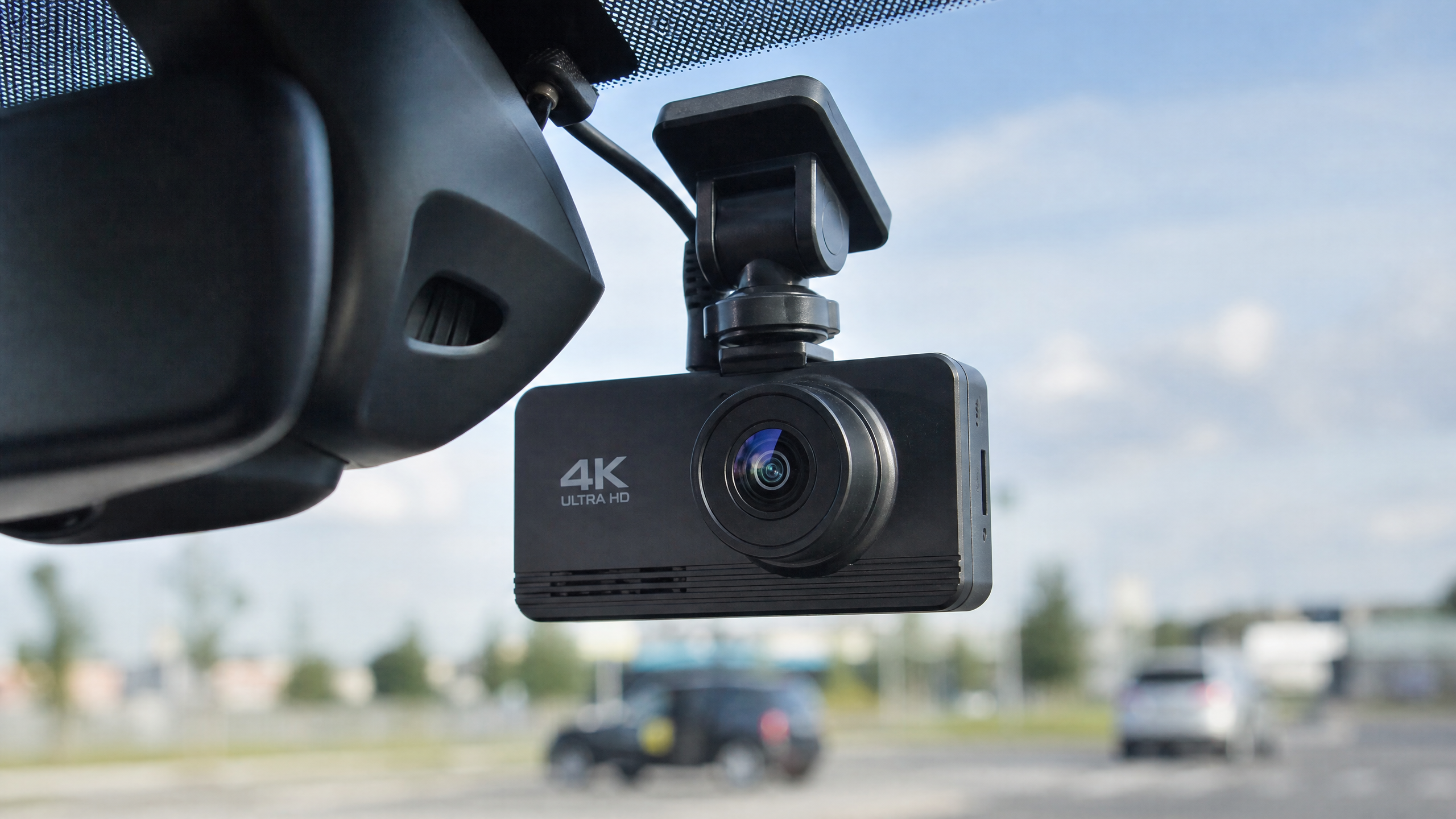
I’ve spent more hours than I care to admit tucked under dashboards, routing wires through A-pillars, and squinting at grainy nighttime footage to find the gear that actually works when things go sideways on the road. Back in the day, a dash cam was a luxury—something you’d see in a police cruiser. But in 2025, if you’re driving without one, you’re basically playing Russian roulette with your insurance premiums. I’ve seen enough “he-said, she-said” accidents in my garage to know that a $150 camera is the cheapest insurance policy you’ll ever buy.
Choosing the right one isn’t just about picking the highest resolution on the box. I’ve tested 4K cameras that looked like they were filming through a bowl of soup, and 1080p units that caught license plates from three lanes over. It’s about the sensor, the lens quality, and how the software handles the blinding glare of a sunset or the pitch-black shadows of a rural backroad. We’re going to break down the top picks for 2025, from the budget-friendly workhorses to the triple-channel beasts that record every angle of your car.
The Reality of Dash Cam Resolution: 4K vs. 2K vs. 1080p
A lot of guys come into the shop bragging about their new 4K dash cam, but here’s a secret: most of them are just upscaling lower-resolution footage. When I’m looking for a camera, I care about the Sony STARVIS 2 sensor. That’s the gold standard right now. It has a high dynamic range (HDR) that keeps the sky from looking like a white void while still letting you see the details in the shadows of the car ahead of you.
If you’re on a budget, a solid 2K (1440p) camera with a good sensor will almost always beat a cheap 4K camera. The file sizes are smaller, which means your SD card lasts longer before it starts overwriting old footage, and the camera runs cooler. Heat is the number one killer of dash cams—I’ve pulled dozens of melted plastic husks off windshields in the middle of July.
Deep Dive: Why Sensors Matter More Than Megapixels
I’ve seen a lot of marketing fluff about “20 Megapixel” dash cams, but in the automotive world, that number is almost meaningless. What you really want to look at is the physical size of the sensor and the technology behind it. The Sony STARVIS 2 (specifically the IMX675 or IMX678) is a game-changer because it uses “Back-Illuminated” technology.
Think of a standard sensor like a window with blinds partially closed. Light has to fight its way through the wiring of the sensor to hit the light-sensitive pixels. With STARVIS 2, Sony basically flipped the sensor upside down so the light hits the pixels directly. This is why a modern 2K camera with a STARVIS 2 sensor will absolutely destroy an older 4K camera when you’re driving under dim streetlights.
Best Overall: The Vantrue N4 Pro (3-Channel)
If you want the absolute best coverage, the Vantrue N4 Pro is my top pick for 2025. It’s a triple-channel setup, meaning it records the front, the cabin, and the rear all at once. The front camera uses that STARVIS 2 sensor I mentioned, and the image clarity is just staggering. I’ve used this to catch a hit-and-run in a parking lot where the guy hit the rear bumper and tried to drive off—the rear camera caught his plate clear as day.
Installation is a bit more involved because you have to run a cable all the way to the back window, but it’s worth the two hours of work. Use a plastic pry tool (don’t use a flathead screwdriver, you’ll gouge your trim) to tuck the wires behind the weatherstripping. It’s a clean look, and it gives you 360-degree peace of mind.
The Budget King: VIOFO A119 V3
For the DIYer who just wants something that works without breaking the bank, the VIOFO A119 V3 is still the king. It’s been around for a while, but VIOFO keeps updating the internals. It’s a wedge-shaped camera that sticks flat against the glass, making it almost invisible from the outside. I love these because they don’t use a suction cup—suction cups always fail when the temperature drops below freezing.
The A119 V3 records in 2K, and the night vision is surprisingly good. It doesn’t have Wi-Fi, so you have to pull the SD card to see your footage, but for under $100, you can’t beat the reliability. I’ve had one in my daily driver for three years, and it hasn’t missed a single second of recording.
Best for Rideshare Drivers: Nexar Pro
If you’re driving for Uber or Lyft, you need an interior camera. The Nexar Pro is a dual-camera system that records the road and the cabin. What makes Nexar special is the cloud integration. The footage is backed up to your phone instantly via Wi-Fi. If a passenger gets rowdy or accuses you of something, you have the proof right there on your phone before they even get out of the car.
The Tech Specs: What Actually Matters
| Feature | Why It Matters | My Recommendation |
|---|---|---|
| Capacitor vs. Battery | Batteries swell and fail in heat. | Always choose a Capacitor-based camera. |
| Field of View (FOV) | Too wide (170°+) causes “fish-eye” distortion. | Look for 140° to 150° for the best balance. |
| GPS Logging | Proves your speed and location in court. | Get a camera with an integrated GPS mount. |
Hardwiring vs. Cigarette Lighter Power
Most cameras come with a plug that goes into your 12V socket (the cigarette lighter). It’s easy, but it looks messy with wires hanging down. I always recommend hardwiring the camera to your fuse box. This does two things: it hides the wires completely, and it enables “Parking Mode.”
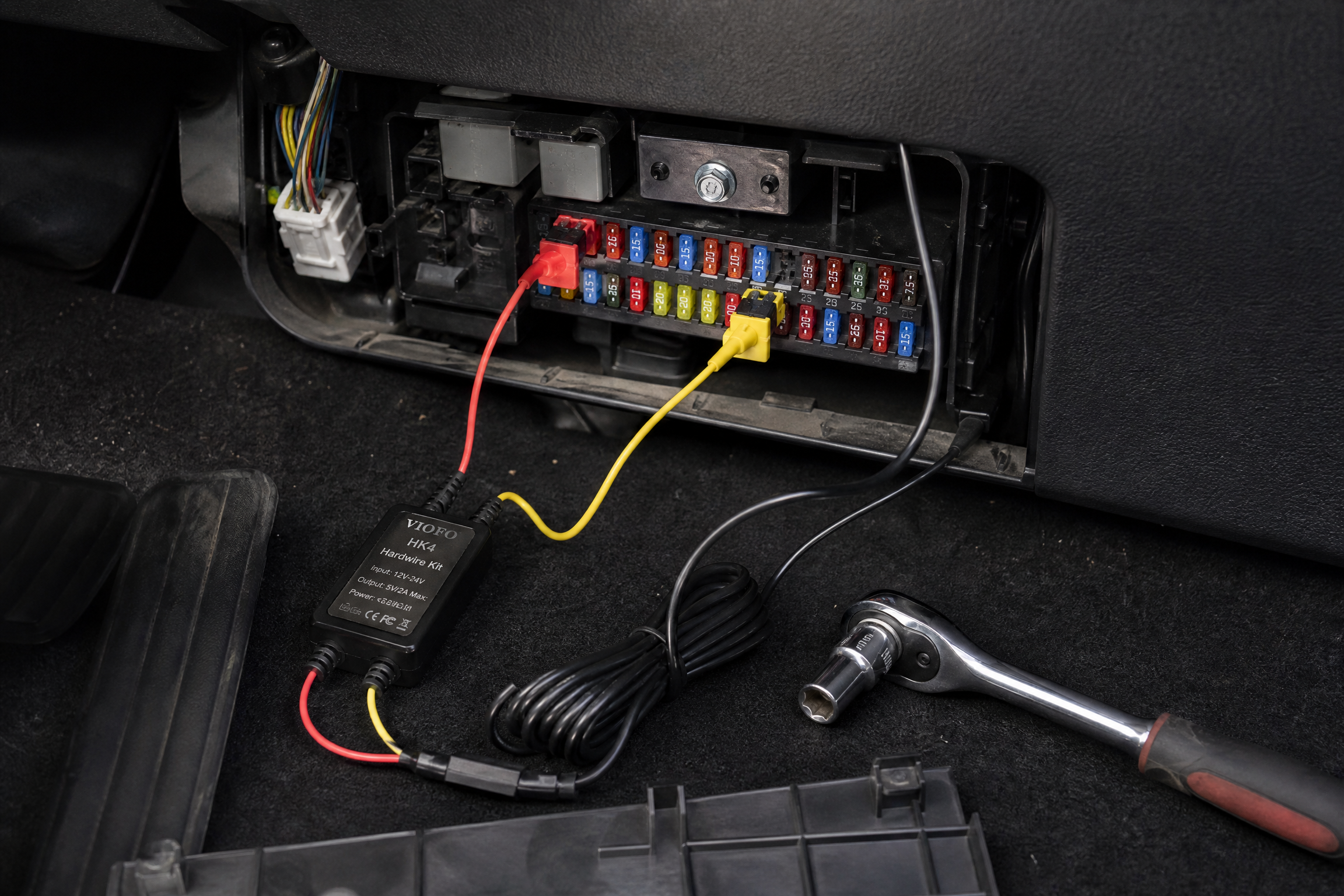
Parking Mode allows the camera to record even when the car is off. It uses a voltage-sensing kit to make sure it doesn’t drain your battery too low to start the car. You’ll need a 10mm socket to find a good ground bolt and a couple of “add-a-fuse” taps. It sounds intimidating, but it’s a 30-minute job once you identify a “constant power” fuse and a “switched power” fuse.
The SD Card Trap
I see this all the time: someone buys a $400 camera and then sticks a cheap $10 SD card in it. Dash cams are brutal on memory cards. They are constantly writing and overwriting data in high heat. A standard card will fail in months. You must use a “High Endurance” card specifically designed for dash cams or security cameras. I personally use the SanDisk Max Endurance or the Samsung Pro Endurance. They cost a bit more, but they won’t let you down when you need the footage most.
Step-by-Step: Installing Your Dash Cam Like a Pro
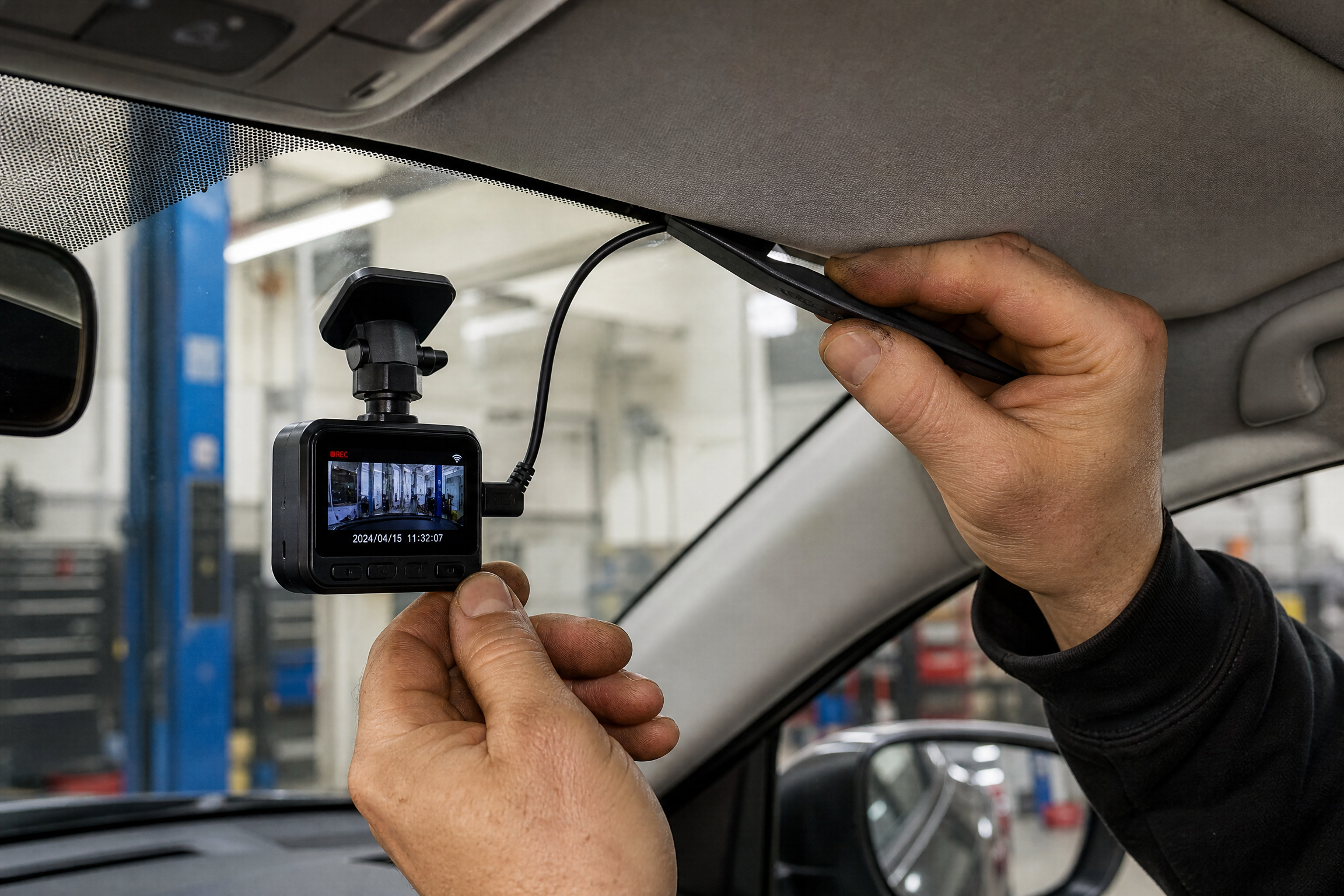
- Clean the Glass: Use a 50/50 mix of isopropyl alcohol and water to clean the area where the mount will go. If there’s even a hint of finger oil, that camera is going to fall off the first time you hit a pothole.
- Find the Center: Mount the camera behind the rearview mirror. You want it high enough that it doesn’t block your view, but low enough that the lens isn’t staring at the black dots (frit) on the top of the windshield.
- Route the Wire: Start at the camera and tuck the wire into the headliner. Work your way toward the A-pillar. Be extremely careful if your car has side-curtain airbags in the A-pillar—run the wire behind the airbag, not over it.
- Down to the Fuse Box: Run the wire down the weatherstripping of the door frame. Most fuse boxes are located under the driver’s side dashboard or behind a panel on the side of the dash.
- Connect the Power: Use your “add-a-fuse” kit to tap into a circuit that isn’t critical (like the power windows or the radio). Avoid tapping into things like airbags or engine management fuses.
The Legal Side: Is Your Footage Admissible?
I’m a mechanic, not a lawyer, but I’ve talked to enough insurance adjusters to know how they handle dash cam video. In most places, dash cam footage is treated like any other piece of evidence. However, there are a few “gotchas” that can get your footage thrown out of court or even get you in trouble.
First, let’s talk about Audio Recording. In some states and countries, recording audio without the consent of everyone in the car is a violation of wiretapping laws. I usually tell people to disable the microphone in the settings unless they’re a rideshare driver. The video is what matters; you don’t need the audio of you singing along to the radio or swearing at the guy who just cut you off.
Advanced Troubleshooting: When Things Go Wrong
Even the best gear can act up. Here are a few common issues I see in the shop and how to fix them:
- GPS Signal Loss: If your camera is struggling to get a GPS lock, check where you mounted it. Some modern cars have “Athermic” windshields that have a thin layer of metal to reflect heat. Look for a clear patch of glass near the rearview mirror.
- Radio Interference: I’ve had customers complain that their FM radio gets static as soon as they plug in their dash cam. This is usually caused by a cheap power adapter that isn’t properly shielded. Swap it for a high-quality hardwire kit with ferrite cores.
- The “Infinite Reboot” Loop: If your camera keeps restarting, it’s almost always a power issue or a dying SD card. Try a different power cable or pull the SD card to see if it stays on.
2025 Dash Cam Comparison Table
| Model | Channels | Max Resolution | Best For | Price Range |
|---|---|---|---|---|
| Vantrue N4 Pro | 3 (F+C+R) | 4K Front | Full Coverage | $300 – $380 |
| VIOFO A229 Pro | 2 (F+R) | 4K Front | Image Quality | $230 – $280 |
| 70mai A810 | 1 or 2 | 4K Front | Budget 4K | $130 – $160 |
| BlackVue DR970X | 2 (F+R) | 4K Front | Cloud Features | $400 – $500 |
| Thinkware U3000 | 2 (F+R) | 4K Front | Parking Mode | $450 – $550 |
Interactive Dash Cam Budget Calculator
Dash Cam Budget Estimator
Select your primary driving need:
Maintaining Your Digital Eye
You wouldn’t go three years without changing your oil, so don’t ignore your dash cam. Every few months, take a clean microfiber cloth and a bit of lens cleaner to the camera lens. Dust and finger oils will catch the glare of oncoming headlights and turn your footage into a blurry mess.
A Quick Story from the Garage
A few months back, a regular of mine brought in his truck. He’d been involved in a low-speed scrape in a grocery store parking lot. The other driver claimed my buddy backed into him, but my buddy had a cheap $60 dash cam he’d installed himself. We pulled the footage, and it clearly showed the other driver rolling forward while looking at his phone. That $60 investment saved my client a $500 deductible and a massive spike in his insurance rates.
Final Thoughts on Choosing Your Setup
Don’t get overwhelmed by the options. If you’re a standard commuter, a solid dual-channel (front and rear) setup like the VIOFO A229 Plus is the sweet spot for 2025. Whatever you choose, just make sure you install it correctly. A dash cam hanging by its wire is just a projectile in a crash. Do the work, hide the wires, and drive with the confidence that you’ve got a witness that never blinks.
Related: Check out our guide on Replace Worn Windshield Wipers: Clear Visibility in Rain.


Leave a Reply