
- The problem with FM transmitters and aux dongles
- Three ways to add Bluetooth to any car
- Tools and parts I use
- Installing a full Bluetooth head unit
- Pairing and calling setup that actually works
- Common problems (and fixes)
- Quiz: which Bluetooth route fits your car
- Getting real audio quality out of it
- Buying reference
The problem with FM transmitters and aux dongles
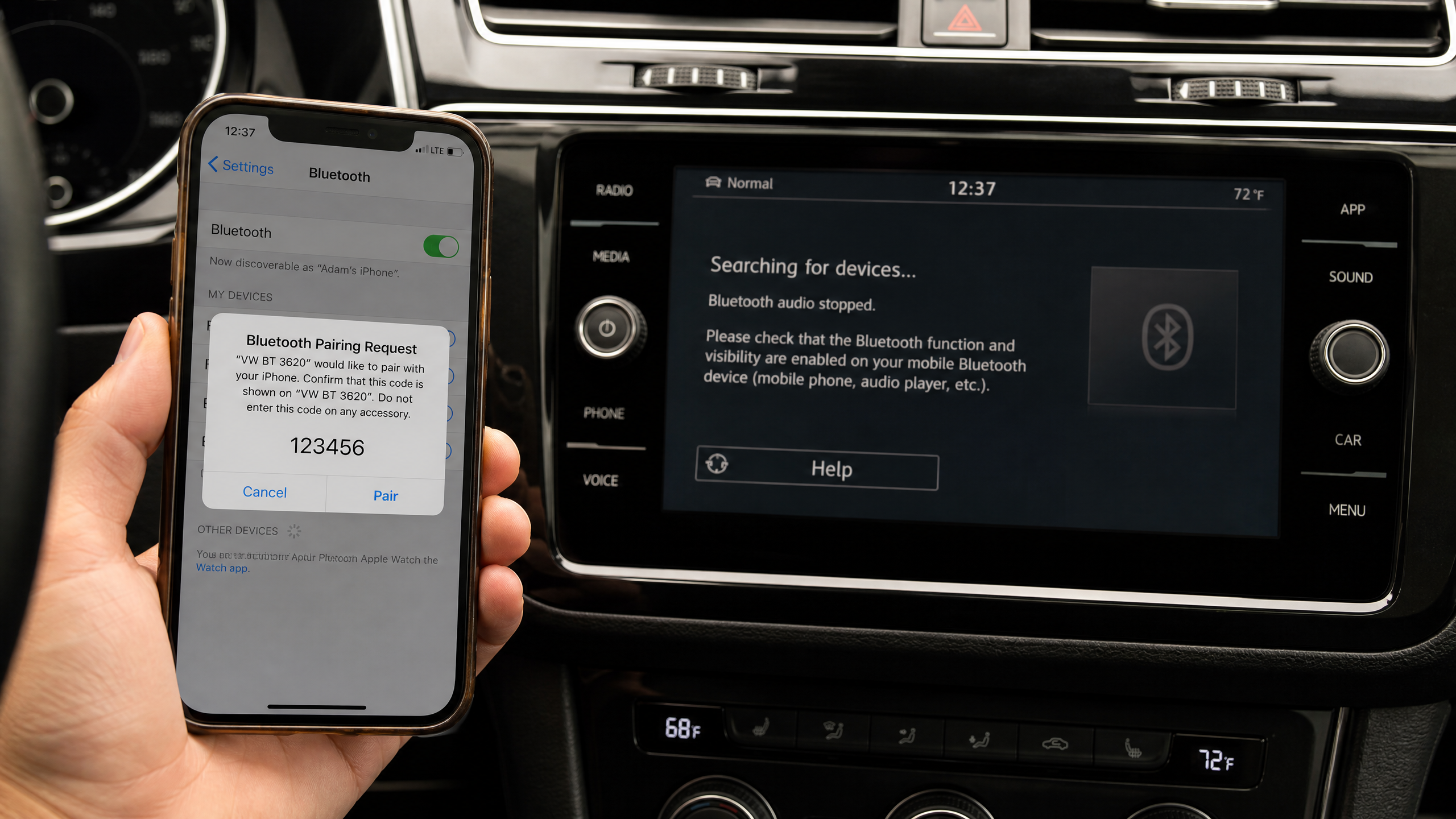
I get asked constantly why someone can’t just plug in a cheap Bluetooth FM transmitter and call it done. I’ve tried a dozen of them over the years for this site, and here’s the honest truth: they work, until they don’t.
FM transmitters fight for a clear frequency, which is a losing battle if you drive through a city with a crowded FM dial. You get static, drop-outs, and audio that sounds like it’s coming through a tin can. Aux-in Bluetooth receivers are better for sound quality, but they still leave you juggling a dongle, a cable, and a power source hanging off your dash.
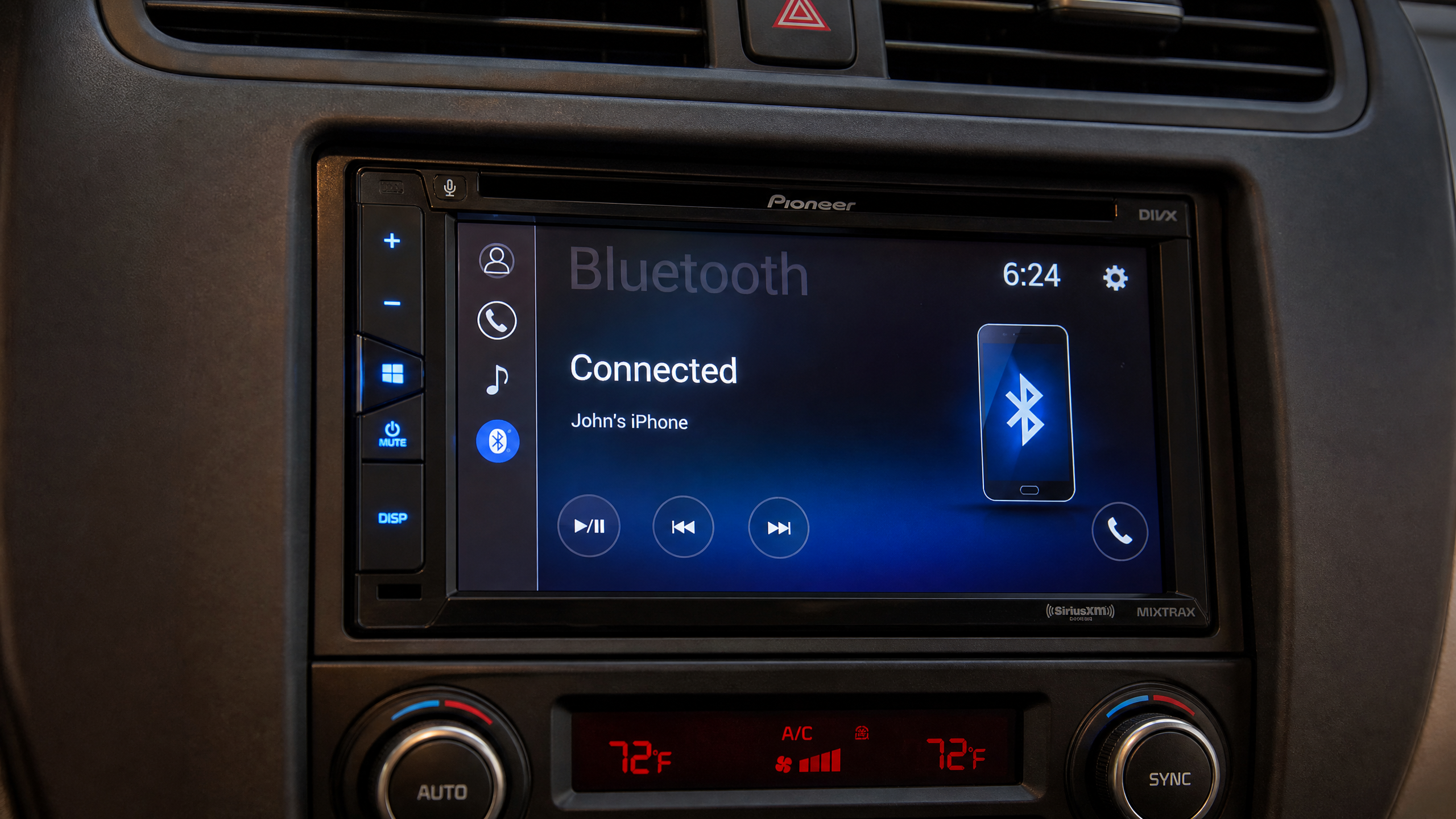
If you actually want clean audio and reliable hands-free calling, you need Bluetooth built into either your head unit or a proper hands-free car kit wired into your existing stereo. That’s the difference between a band-aid and an actual fix.
Three ways to add Bluetooth to any car
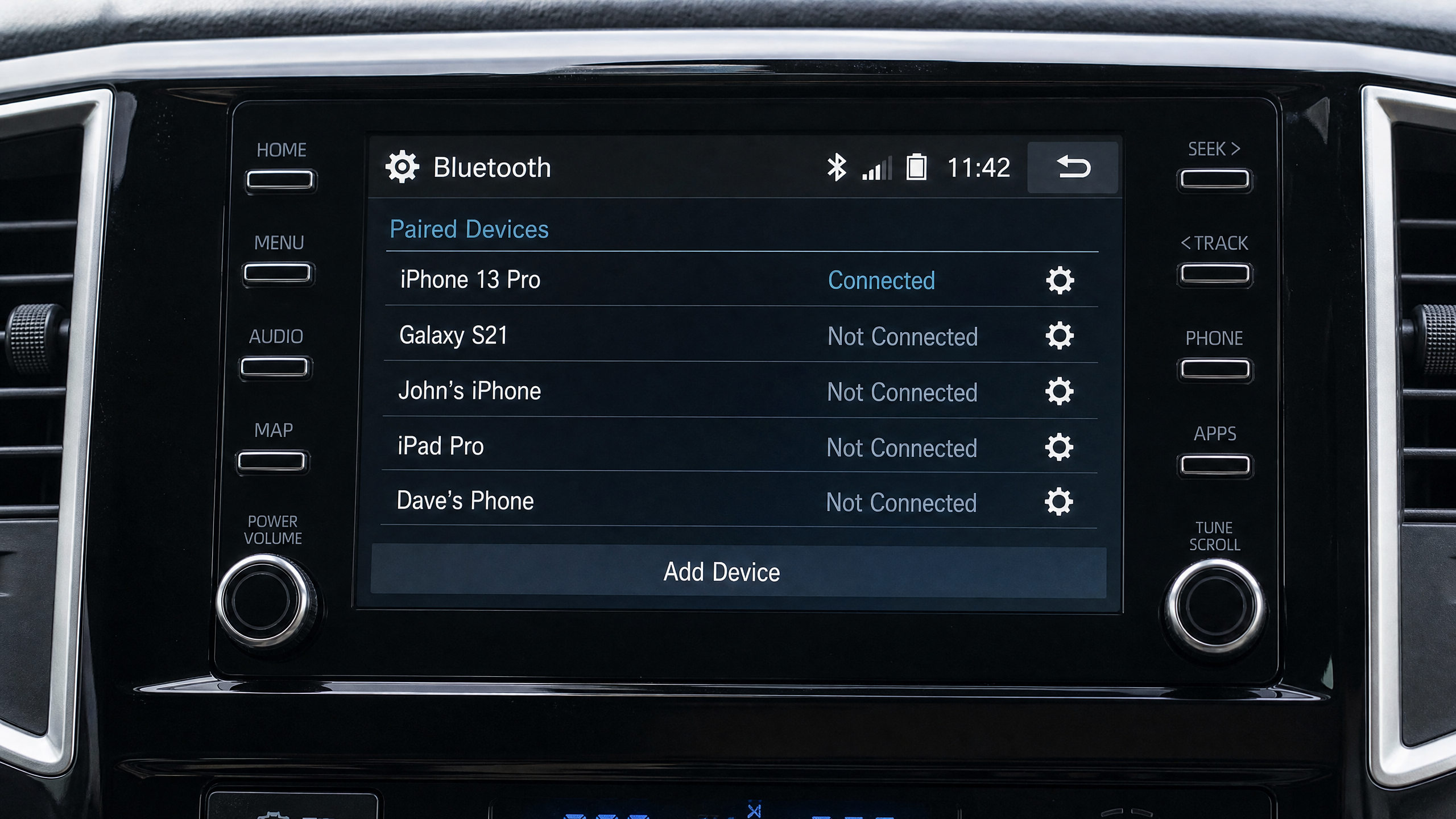
1. Full aftermarket Bluetooth head unit
This replaces your factory stereo outright. You get Bluetooth calling, audio streaming, USB charging, and usually a touchscreen with backup camera input too. It’s the most work to install but gives you the most capability, and it’s what I recommend if your factory unit is already outdated or broken.
2. Bluetooth integration module
Some factory stereos, especially GM, Ford, and Chrysler units from the 2010s, have a hidden auxiliary input on the back of the harness that a Bluetooth module can tap into. This keeps your factory look and steering wheel controls working, and just adds Bluetooth audio and sometimes calling on top.
3. Bluetooth hands-free car kit wired to an amp or aux
A dedicated hands-free kit with its own microphone and small control unit, wired into an open aux input or directly to an amplifier. Good middle ground if you want reliable calling without touching your head unit at all.
Tools and parts I use
Tools
- Trim removal tool set (plastic pry tools, not a screwdriver if you can help it)
- Phillips and flathead screwdrivers
- Wire strippers and crimping tool
- Panel-mount DIN removal keys (some Ford and older GM units need these to release the radio)
- Multimeter
- Electrical tape and heat-shrink butt connectors
- Drill (only needed if your dash kit requires new mounting holes)
Parts
- Bluetooth head unit or integration module
- Vehicle-specific wiring harness adapter
- Dash install kit (trim bezel matched to your vehicle)
- Antenna adapter, if your factory antenna connector doesn’t match the new unit
Installing a full Bluetooth head unit
- Disconnect the battery and give it a minute for any capacitors in the old stereo to discharge.
- Remove the factory dash trim around the radio using your trim tools. Work slowly around the edges — factory clips break easily if you pry at one spot too hard.
- Unbolt or unclip the factory radio and pull it forward enough to access the wiring harness and antenna cable on the back.
- Disconnect the factory harness and antenna from the old radio.
- Connect your wiring harness adapter between the factory harness and the new head unit’s harness. Match colors carefully — a harness adapter takes the guesswork out of this, but double-check with a wiring diagram if your car is older or the harness looks non-standard.
- Connect the antenna adapter if needed, and plug it into the new unit.
- Mount the microphone for hands-free calling. I usually tuck mine near the A-pillar or on the underside of the rearview mirror mount, angled toward the driver’s mouth, and run the thin mic cable along the headliner seam so it’s invisible.
- Test fit everything before final mounting. Reconnect the battery, power up the new unit, and confirm audio, Bluetooth pairing, and the microphone all work before you commit to bolting it in.
- Slide the new unit into the dash kit and secure it with the included mounting brackets and screws.
- Snap the trim bezel back into place and reconnect the battery for good.
Pairing and calling setup that actually works
- Put the head unit into pairing mode — usually a long press on the “phone” or “BT” button, or it’s automatic the first time you power it on.
- Enable Bluetooth on your phone and select the head unit’s name from the list.
- Confirm the pairing code matches on both screens if prompted, and accept the connection.
- Grant contacts and call permissions when your phone asks — this is what lets caller names show up on the head unit screen instead of just a number.
- Make a test call to a friend and ask them how you sound. This is the step everyone skips, and it’s the only way to catch a poorly aimed microphone before you’re relying on it in traffic.
- Adjust mic gain in the settings menu if your friend says you sound distant or clipped — most units have a mic sensitivity setting buried in the Bluetooth menu.
Common problems (and fixes)
Caller can hear road noise or wind over my voice
The mic is likely mounted too far from your mouth or facing the wrong direction. Reposition it closer to center dash or the A-pillar, angled directly at the driver’s seat, not down at the console.
Phone keeps disconnecting mid-drive
This is almost always a software issue, not hardware. Forget the device on your phone, restart both the phone and head unit, then re-pair from scratch. If it keeps happening, check for a firmware update for the head unit — manufacturers push Bluetooth stack fixes more often than people realize.
Audio plays but calls don’t route through the speakers
Check that you paired for both “media audio” and “hands-free” profiles — some phones let you pick just one. You need both A2DP (music) and HFP (hands-free) profiles enabled for full functionality.
Steering wheel controls stopped working after install
This means your wiring harness adapter isn’t a true plug-and-play match, or it needs a separate steering wheel control interface module. Don’t force it — a mismatched harness can damage the new head unit’s control inputs.
Quiz: which Bluetooth route fits your car
60-Second Fit Check
Three questions, then I’ll tell you whether to replace the head unit or just add a module.
1. How do you feel about your current stereo’s screen and buttons?
2. Do you use your steering wheel audio controls a lot?
3. Do you want a backup camera screen or navigation built in too?
Buying reference
| Route | Best for | Typical install time |
|---|---|---|
| Full head unit replacement | Older cars, want touchscreen + camera input | 1.5–3 hours |
| Bluetooth integration module | Keeping factory look and steering controls | 45–90 minutes |
| Hands-free kit + aux | Simple calling upgrade, no head unit changes | 30–60 minutes |
Grab the parts I actually use
I keep an updated list of the head units, harness adapters, and mic kits I trust for this exact job.
Check Bluetooth Stereo Kits on Amazon →Final word from the garage
Bluetooth is the single most important upgrade for a daily driver. It’s not just about music — it’s about staying legal and safe while you’re on the move. Whether you swap the whole dash or just hide a module behind it, you’ll wonder how you ever put up with those clunky FM transmitters.




Leave a Reply