
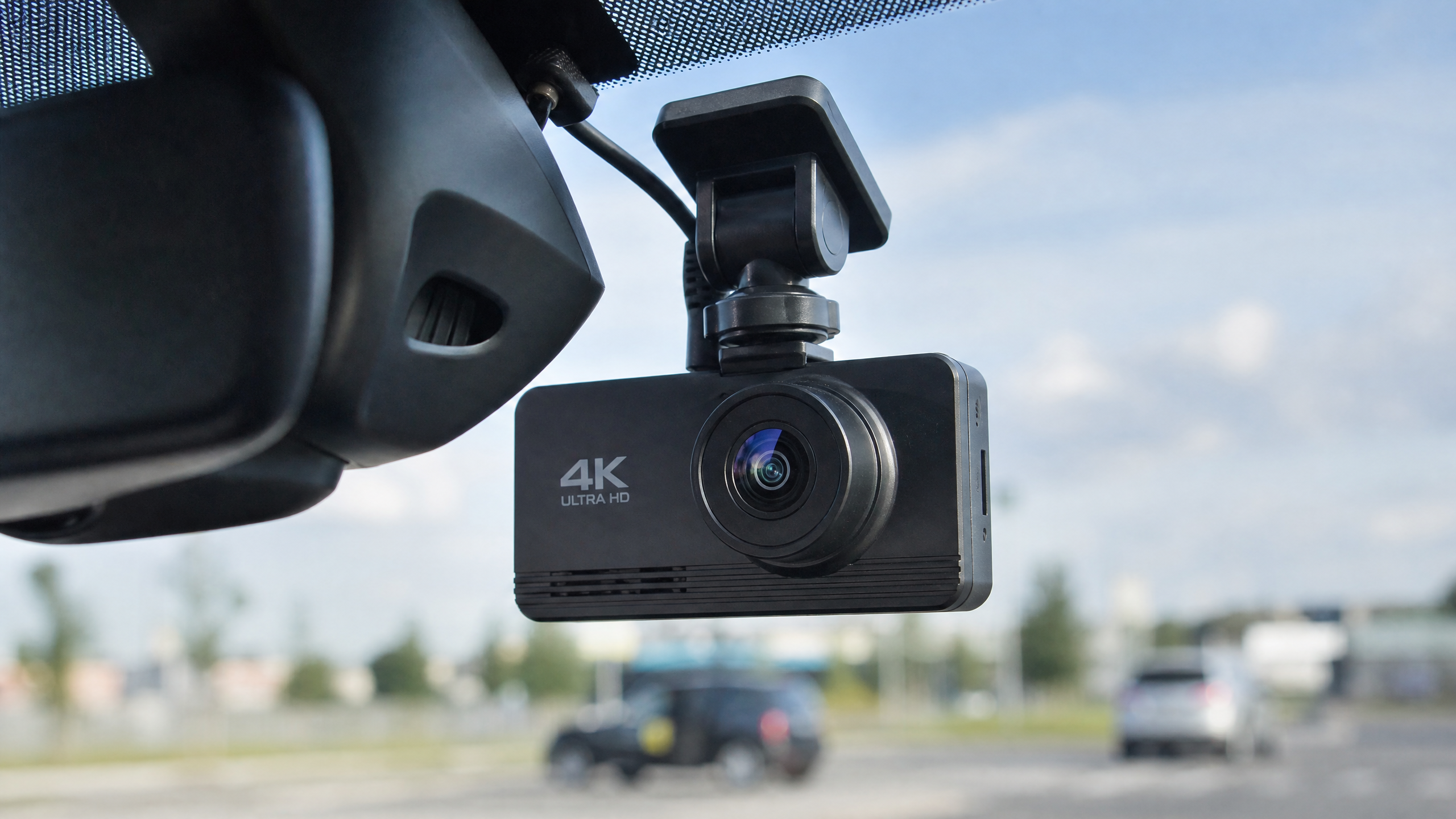
A useful dash cam is not simply the model with the biggest resolution number. The right choice depends on the views you need to record, how clearly the camera handles changing light, whether you want parking surveillance, how it receives power, and the memory cards it supports. A front-only camera may suit a commuter who mainly wants a record of the road ahead, while rideshare drivers and owners who park outdoors may benefit from cabin, rear or parking-mode coverage.
This 2026 guide compares seven dash cams across different budgets and use cases using published manufacturer specifications, product documentation and available listing information. Features and bundles can vary by region and seller, so check the exact model and included accessories on the product page before ordering.
For a closer look at front-and-rear systems designed around parked-vehicle protection, see our separate guide to dual-lens dash cams with parking mode.
Dash cams compared: which type fits your driving?
| Model | Coverage | Published headline features | Best suited to |
|---|---|---|---|
| Vantrue N4 Pro | Front, cabin and rear | 4K front; infrared cabin camera; GPS and Wi-Fi | Rideshare and drivers wanting three views |
| VIOFO A229 Pro 2CH | Front and rear | 4K front and 2K rear; STARVIS 2 front sensor | Drivers prioritising front-and-rear image detail |
| Thinkware U3000 | Front and rear | 4K front, 2K rear and radar-assisted parking features | Frequent parkers who want advanced parking protection |
| BlackVue DR970X-2CH Plus II | Front and rear | 4K front, Full HD rear and cloud features | Drivers interested in connected monitoring |
| 70mai A810 | Front and rear (bundle dependent) | 4K front recording, GPS and app connectivity | Buyers seeking a feature-rich midrange option |
| Nexar Pro | Road and cabin coverage | Phone-connected recording and cloud/app features | Rideshare and in-cabin recording needs |
| VIOFO A119 V3 | Front only | 2K front recording and compact wedge-style design | Budget-conscious drivers who only need front coverage |
1. Vantrue N4 Pro — best for front, cabin and rear coverage
The Vantrue N4 Pro is a three-channel system for drivers who want to record the road ahead, the vehicle cabin and the view behind the car. Its published configuration combines 4K front recording with 1080p cabin and rear cameras, plus infrared lighting for the cabin camera. This makes it particularly relevant to rideshare drivers, families and anyone who wants more than a forward-facing record.
Before buying, confirm the exact N4 Pro version, supported memory-card capacity and included rear-camera cable. Parking mode requires a suitable power arrangement; check whether the required hardwire kit is included or sold separately. Three cameras also mean more installation and cable-routing work than a front-only setup.
ASIN: B0C3M7HPRT

- [ True 4K 3-Channel Dash Cam] With the latest technology of STARVIS 2, the…
- [Vantrue’s Exclusive PlatePix Technology]PlatePix technology can accurately…
2. VIOFO A229 Pro 2CH — best for detailed front-and-rear recording
The A229 Pro two-channel package is aimed at drivers who want a high-resolution front camera without giving up rear coverage. VIOFO lists 4K recording at the front and 2K at the rear, with a Sony STARVIS 2 sensor in the front camera. The rear view can be useful when documenting a rear-end collision or an incident occurring behind the vehicle.
Check whether the listing is for the two-channel package, which rear camera is included, and whether a memory card and hardwire kit are part of the bundle. The camera’s parking features depend on the power accessory and settings used; do not assume every package includes everything needed for continuous parking surveillance.
ASIN: B0CKYFSKNN
- 【4K +2K Dual STARVIS 2 Sensors Dash Cam】 The pioneering A229 Pro dash…
- 【HDR for Front and Rear Night Vision 2.0】 The A229 Pro boasts STARVIS…
3. Thinkware U3000 — best for parking-focused features
The Thinkware U3000 is a premium front-and-rear system with published 4K front and 2K rear recording. Its radar-assisted parking features are a key reason to consider it if the vehicle spends long periods parked. Parking performance depends on the installation, power source, settings and surroundings, so read the current manual before choosing a mode.
Check the exact bundle carefully. Some listings separate front and rear configurations, and memory-card capacity, hardwire accessories and included cables may differ. Also confirm that the parking power arrangement is compatible with your vehicle and does not compromise the battery’s ability to start.
ASIN: B0C545KF81
No products found.
4. BlackVue DR970X-2CH Plus II — best for connected monitoring
The DR970X-2CH Plus II is a front-and-rear system built around 4K front recording, Full HD rear recording and BlackVue’s connected-camera ecosystem. It may suit drivers who value app access and cloud-related features, but connectivity depends on the exact model, region, network support and any required subscription or data plan.
Do not assume that every DR970X listing is the same. BlackVue has multiple DR970X variants, including versions with different LTE and storage bundles. Check the product name, regional compatibility, SIM requirements and included memory card before purchasing.
ASIN: B0FH269STX

- Ultimate 4K UHD & HDR Recording – Capture your drive in stunning 4K UHD…
- Advanced Visual Clarity & Detail – A powerful new ISP and the front STARVIS…
5. 70mai A810 — a midrange front-and-rear option
The 70mai A810 is listed as a 4K front dash cam and is available in bundles that add a rear camera and other accessories. It is worth comparing if you want high-resolution front recording and app-based access without moving straight to a premium connected system.
Pay attention to the bundle name: front-only and front-and-rear packages are not interchangeable. Some listings also pair the camera with a hardwire kit or memory card. Confirm the exact contents and check the manufacturer’s current guidance for parking mode, temperature limits and supported storage.
ASIN: B0C9TBZF8X

- 【True 4K Front + 1080P Rear Dash Cam with STARVIS 2 Sensor】Record in…
- 【Night Vision Excellence】Powered by dual Sony STARVIS 2 sensors…
6. Nexar Pro — for drivers who want road and cabin footage
The Nexar Pro is designed around recording the road and cabin, making it relevant to rideshare drivers and people who want an in-car view as well as a forward-facing record. Its app and cloud-oriented features are central to the buying decision, so check the current Nexar app requirements, subscription terms, phone compatibility and storage arrangements before ordering.
As with any app-dependent camera, consider what happens if your phone is unavailable, the app loses its connection or cloud access is not active. Confirm how clips are stored locally and how long cloud recordings remain available under the plan included with the listing.
ASIN: B08XZPDZC7

- Dual View: Our HD dashcam front and inside system is perfect for all kinds…
- Versatile & User Friendly: Our truck and car dash camera front and inside…
7. VIOFO A119 V3 — a simple front-only budget choice
The A119 V3 is an older, front-only 2K model that may still appeal when the priority is basic forward-facing recording at a lower cost. It does not provide the rear or cabin coverage offered by the multi-camera systems above, and it lacks some of the newer connectivity and sensor features found in more recent models.
Because it is an older model, compare its current price and availability with newer compact cameras before buying. Check the exact package for GPS mount, memory card and power accessories; bundles can differ.
ASIN: B07SRQH4R7

- Advanced Imaging Technology: Equipped with a SMP IMX335 STARVIS sensor…
- Versatile Parking Mode Options: Features three parking mode solutions-Auto…
What to check before choosing a dash cam
Resolution is only one part of image quality
4K can capture more detail than 1080p when the sensor, lens, bitrate and exposure are good, but the resolution label alone does not guarantee readable number plates. Night performance, glare control, motion blur, mounting angle and the distance from the subject all matter. Look for independent sample footage recorded in daylight, at night and in changing light rather than relying only on promotional still images.
Choose the number of camera channels you actually need
- One channel: records the road ahead and is usually simpler to install.
- Two channels: adds a rear camera, useful for recording incidents behind the vehicle.
- Three channels: adds an interior camera, which can matter for rideshare work or cabin security.
Understand parking mode and power
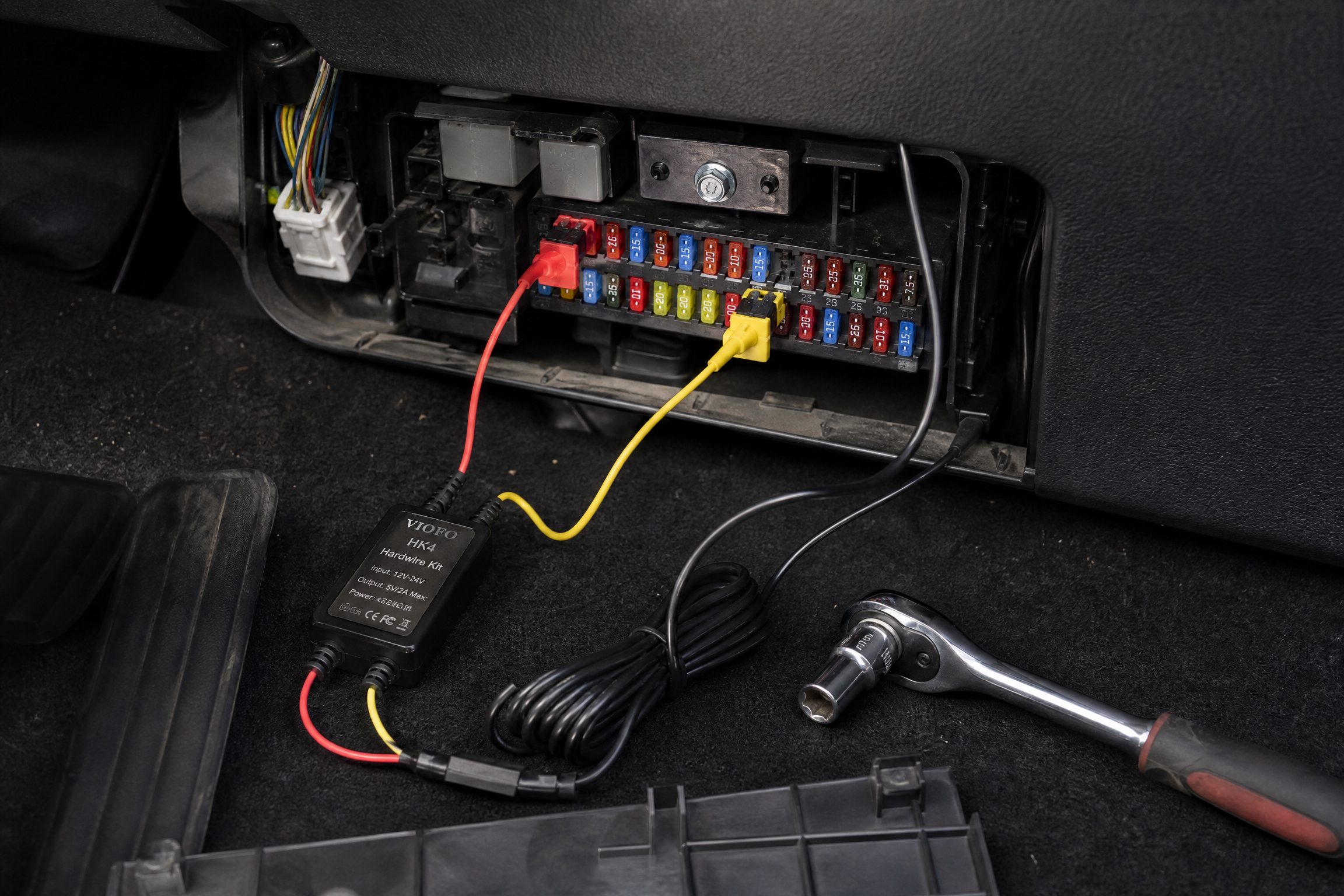
Parking mode may use impact detection, motion detection, time-lapse or low-bitrate recording. Many systems need a compatible hardwire kit or dedicated battery pack to operate while the ignition is off. Confirm the camera’s low-voltage cut-off settings and follow the vehicle and camera manufacturers’ installation instructions. If you are not confident identifying suitable fuse circuits or routing wiring around airbags, use a qualified installer.
Use a suitable high-endurance memory card
Dash cams repeatedly write and overwrite video, which places more demand on a card than occasional photo storage. Choose a high-endurance microSD card that the camera manufacturer lists as compatible. Check the maximum supported capacity and format the card using the camera’s instructions. Replace cards that produce recording errors or cannot reliably retain clips.
Install the camera without compromising visibility or safety
Mount the camera where it records a useful view without obstructing the driver’s field of vision. Local rules may restrict where devices can be placed on a windscreen. Route cables so they do not interfere with pedals, steering, curtain airbags or trim retention. Never route a cable across an airbag’s deployment path.
Hardwiring versus a 12V socket
A 12V accessory socket is usually the simpler power option, but some vehicles switch that socket off with the ignition while others leave it powered. Hardwiring can provide a cleaner installation and support parking mode, but it requires the correct fuse connection, grounding and low-voltage protection. Read the camera maker’s wiring diagram and vehicle documentation before installation.
Dash cam buying checklist
- Decide whether you need front-only, front-and-rear or front-cabin-rear coverage.
- Compare actual sample footage in daylight and at night.
- Check the exact model number and regional version.
- Confirm whether the rear camera, GPS mount, memory card and hardwire kit are included.
- Check supported memory-card type and capacity.
- Understand parking-mode power requirements and low-voltage protection.
- Review phone, app, cloud and subscription requirements where relevant.
- Confirm windscreen placement and audio-recording rules in your location.
Frequently asked questions
Is a 4K dash cam always better than a 2K model?
No. 4K provides more pixels, but sensor quality, lens performance, bitrate, exposure and night processing also affect usable footage. A well-designed 2K camera can produce more useful video than a poorly implemented 4K camera.
Do I need a rear camera?
A rear camera adds coverage that a front-facing unit cannot provide. It is worth considering if you want a record of rear-end impacts, incidents behind the vehicle or activity around the rear of a parked car. It does add installation time and another cable or wireless connection to manage.
Can a dash cam record while the car is parked?
Many models offer parking modes, but the feature may require a hardwire kit or separate battery pack. Check the exact model’s supported modes, power requirements and low-voltage protection before relying on it.
Can dash cam footage be used after a collision?
Footage may help document what happened, but whether it can be used as evidence depends on local law, how it was recorded, its authenticity and the rules of the relevant court or insurer. Preserve the original file, avoid editing it and seek local legal advice if a dispute arises. Audio-recording and privacy rules vary by jurisdiction.
Final recommendation
Choose the camera around the coverage and power arrangement you need rather than buying on resolution alone. The Vantrue N4 Pro is the multi-view option for road, cabin and rear coverage; the VIOFO A229 Pro offers a front-and-rear configuration with high-resolution recording; and the Thinkware U3000 is worth comparing if parking features are a priority. For simpler needs, compare the Nexar Pro and 70mai A810 bundles carefully, while the A119 V3 is best treated as an older front-only budget option.
Product specifications, bundles, app features and availability can change. Confirm details on the current manufacturer documentation and Amazon listing before purchase. CarsRevamp may earn a commission from qualifying purchases made through the affiliate links on this page.
Related reading: dual-lens dash cams with parking mode and when to replace worn windshield wipers.

Leave a Reply