
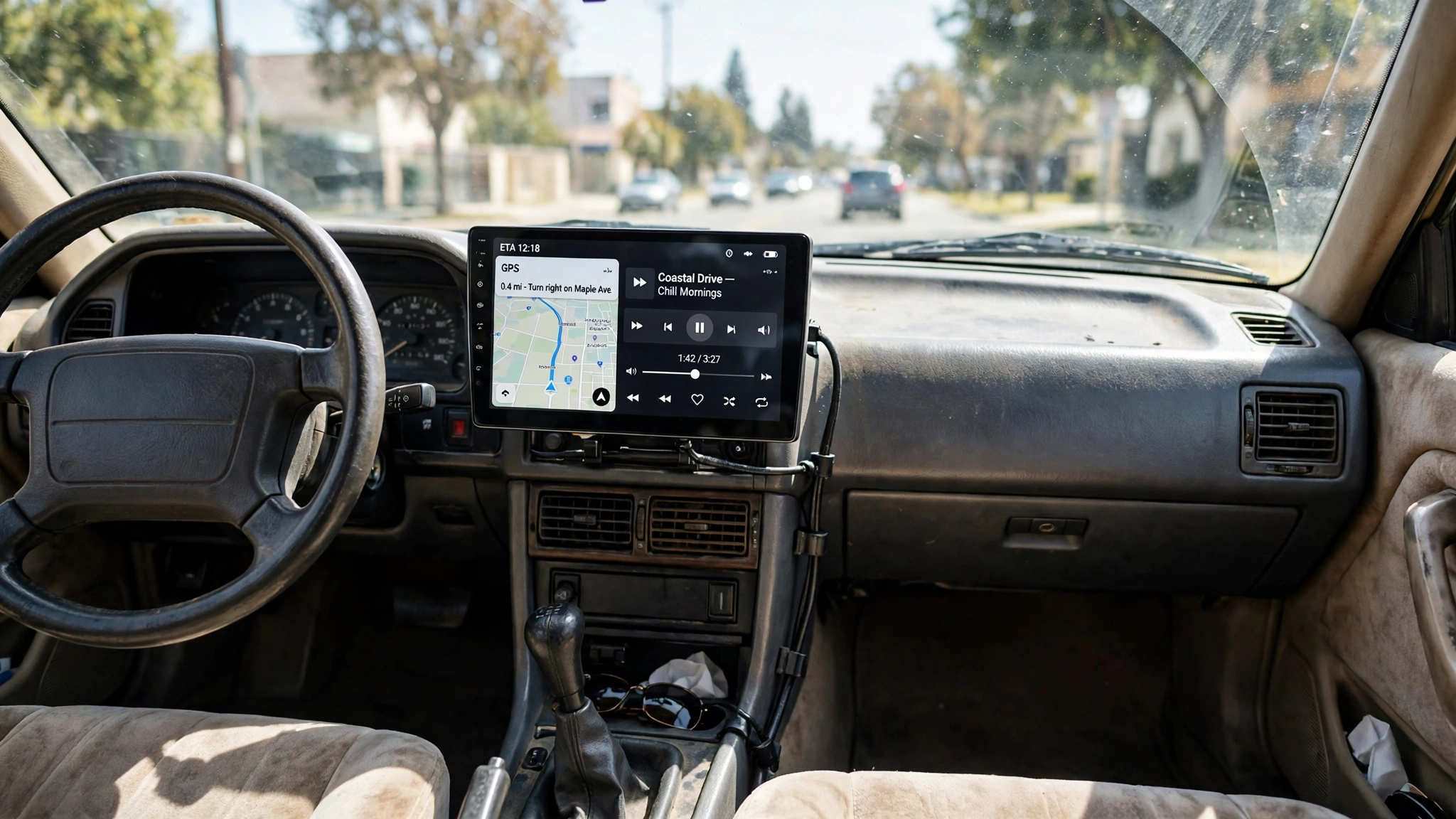
There are three different ways to add CarPlay to an older car: replace the factory stereo, mount a portable CarPlay display, or convert an existing wired CarPlay connection to wireless. The last option is often misunderstood: a wireless adapter does not add CarPlay to a car that never had wired CarPlay.
This comparison includes one replacement head unit, one portable display and two wired-to-wireless adapters. The right choice depends on the factory stereo, dashboard opening, phone type, wiring and how integrated you want the installation to be.
Choose the upgrade path that matches your starting point
- No factory CarPlay: Use a compatible aftermarket head unit or a portable display. A wireless dongle alone will not add the feature.
- Factory wired CarPlay: A compatible wireless adapter can remove the daily USB cable. Check the exact car and phone compatibility.
- Factory wireless CarPlay: You may not need an adapter at all; some adapters are not compatible with systems that already use wireless CarPlay.
- Aftermarket head unit: Check 1-DIN/2-DIN space, dash kit, wiring harness, antenna adapter, steering-wheel controls, camera inputs and professional installation requirements.
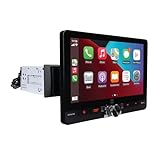
- CERTIFIED WIRELESS APPLE CARPLAY & ANDROID AUTO – Enjoy the freedom of a…
- VIBRANT 8″ HIGH-RES FLOATING DISPLAY – Upgrade your car’s interior with…
Manufacturer specifications: Dual Electronics DCPA81W is an 8-inch receiver with wireless Apple CarPlay and Android Auto, Bluetooth and front/rear camera inputs. Dual says it can be installed in either 1-DIN or 2-DIN openings using the supplied chassis options.
Best fit: Drivers who want a more integrated touchscreen replacement and are prepared to remove the factory radio and fit the correct dash hardware.
Buying check: Dual’s manual says most vehicles need an installation kit, wiring harness and/or antenna adapter sold separately. Steering-wheel controls, factory amplifiers and camera wiring may need additional interfaces; professional installation is recommended if you are unfamiliar with vehicle wiring.
Ottocast Wireless CarPlay Adapter

- 【 Wireless CarPlay Dongle Connect in 12s 】Worried about dealing with…
- 【 Fully Automated Driving life 】After the first installation, U2-Air…
Manufacturer compatibility: Ottocast U2-AIR Pro converts a compatible factory wired Apple CarPlay system to wireless CarPlay. Ottocast says it requires factory wired CarPlay and is intended for 2016-or-newer vehicles; it is for iPhone, not Android Auto-only or wireless-only systems.
Best fit: An iPhone user whose car already has working factory wired CarPlay and who wants to avoid plugging in the phone every trip.
Buying check: It does not add CarPlay to a factory stereo that lacks it. Check Ottocast’s compatibility list, including exclusions for some aftermarket head units, before ordering.
Carlinkit Wireless CarPlay Adapter

- 【Ultimate Dual System Convenience】Introducing the groundbreaking…
- 【Sleek and User-Friendly Design】The CarlinKit 5.0 is incredibly slim…
Manufacturer compatibility: Carlinkit 5.0/2air converts an original wired CarPlay or wired Android Auto head unit to a wireless connection. Carlinkit lists iPhone 6 and later with iOS 10+ for CarPlay, and Android 11+ for wireless Android Auto.
Best fit: Drivers with a compatible factory wired CarPlay or Android Auto screen who want wireless phone connection without replacing the head unit.
Buying check: The car must already support the relevant wired protocol. It will not add CarPlay or Android Auto to an older stereo that has neither. Check the exact phone OS and head-unit compatibility.
Carpuride Portable CarPlay Display
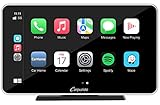
- 【With Android Auto & CarPlay & Mirror Link】This wireless car stereo is…
- 【Voice Control Carplay】Uses your smartphones such as Siri /G00GLE…
Manufacturer specifications: Carpuride’s portable W903 display provides wireless Apple CarPlay and Android Auto on a separate 9.3-inch touchscreen. The manufacturer lists Bluetooth, FM and AUX audio output options, USB-C 5V/2A power and a front camera; some bundles add a rear camera.
Best fit: An older car without a CarPlay screen where the owner wants a reversible, no-head-unit-removal option.
This guide compares four ways to add Apple CarPlay to an older vehicle: replacing the head unit, using a portable display or adding a wireless adapter to a compatible factory system. It focuses on installation needs, existing-stereo compatibility, wiring and the trade-offs of each approach.
Compatibility checks before you buy
- Confirm whether the factory stereo has wired CarPlay, wired Android Auto, wireless CarPlay or neither.
- Check the phone model and operating-system requirements for any adapter.
- For a head unit, confirm dash opening, mounting depth, wiring harness, antenna adapter, steering-wheel-control interface and camera compatibility.
- For a portable display, check dashboard mounting, screen glare, power routing and audio output options.
- Do not place a screen where it blocks the driver’s view, airbags or access to vehicle controls.
Setting up a portable CarPlay display
- Choose a mounting position that does not block the windshield view, airbags or controls.
- Secure the mount and route the power cable away from pedals, steering and gear controls.
- Connect the screen to the phone using the maker’s wireless CarPlay/Android Auto instructions.
- Route audio by the cleanest supported method—usually Bluetooth or AUX where available; FM is a fallback and can be affected by local radio interference.
- Test voice control, calls, navigation audio and camera views while parked before driving.
Interactive CarPlay Upgrade Picker Tool
Choose your car setup below to see a quick match from our guide:
Find Your Best CarPlay Upgrade
Manufacturer manuals and compatibility references
- Dual DCPA81W product features and installation options
- Dual DCPA81W installation/owner’s manual: dash kits, wiring harness and antenna adapter
- Ottocast U2-AIR Pro factory wired CarPlay requirements and phone compatibility
- Carlinkit 2air requirements for wired CarPlay/Android Auto and phone operating systems
- Carpuride W903 screen, audio, power and phone compatibility information





Leave a Reply