
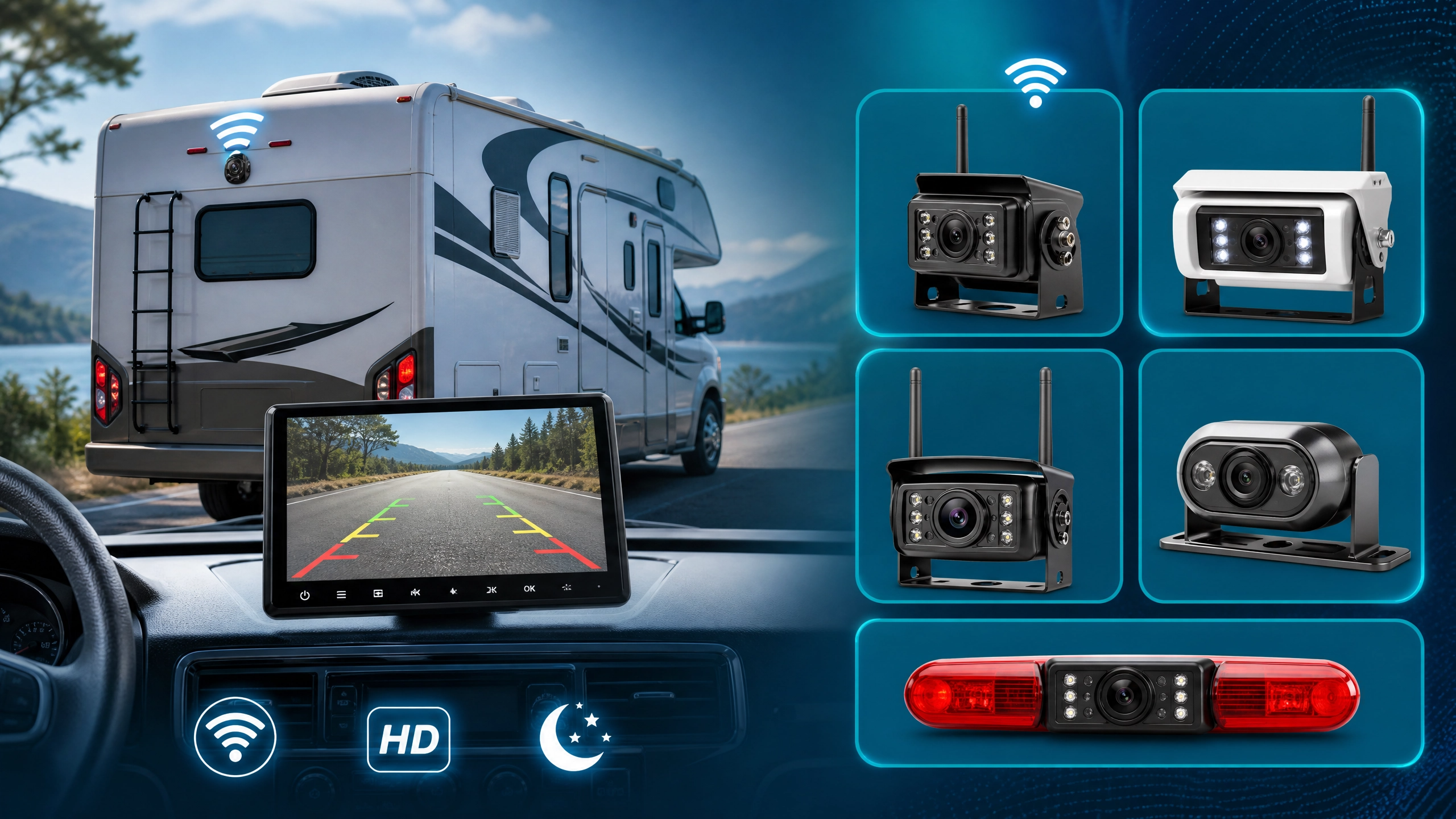
Choosing a backup-camera system for an RV, truck or trailer depends on vehicle length, camera placement, monitor size, wiring access and whether you need one rear view or several camera angles. A system that works well on a pickup may not provide the range or camera coverage needed on a long motorhome.
This guide compares five options using product specifications, manufacturer documentation, connection type, screen size, camera count, compatibility information and available buyer feedback. Wireless systems reduce the need for a long video cable, but they still need power at the camera and a signal path that suits the vehicle and trailer.
Affiliate disclosure: CarsRevamp may earn a commission when you buy through qualifying links in this article. This does not change the price you pay.
Quick comparison: five RV and truck camera systems
| System | Display | Connection | Best fit to consider |
|---|---|---|---|
| LeeKooLuu LK3 | 5-inch monitor | Wired | Basic reversing view on cars, trucks or shorter trailers |
| AMTIFO A7 | 7-inch touch monitor | Wireless | RV and trailer owners who prefer wireless video |
| WOLFBOX G840S | 12-inch mirror display | Rear camera cable | Truck/SUV drivers wanting a mirror dash cam combination |
| Furrion Vision S | 4.3-, 5- or 7-inch options, kit dependent | Wireless | RV owners comparing a dedicated trailer camera system |
| Haloview BT7 | 7-inch touch monitor | Wireless | RV owners who want a larger monitor and multi-camera options |
Five RV and truck backup cameras compared
5. LeeKooLuu LK3 HD 1080P Backup Camera
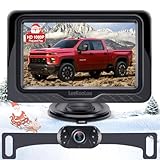
- Easy to Install: The backup camera for car takes only 25 minutes from start…
- Stable Signal Transmission: The LeeKooLuu backup camera is superior in…

The LeeKooLuu LK3 is a straightforward wired camera-and-monitor kit for drivers who want a dedicated rear view while reversing. Its 5-inch monitor and wired video connection make it a simpler type of installation than a wireless RV system, although the cable still needs to be routed along the vehicle or trailer.
Before ordering, measure the cable route and confirm the camera resolution, weather rating, monitor contents and cable length in the current package. Review sample footage and the stated low-light features; visibility also depends on camera angle, reverse lights, weather and surrounding light.
Consider it if: You need a basic rear view for a truck, daily driver or shorter utility trailer and can route a video cable.
4. AMTIFO A7 Wireless RV Backup Camera System

- 【Plug and Play】The rv backup camera kit is compatible with RV pre-wired…
- 【Stable wireless signal】This backup camera is wireless and uses a…
The AMTIFO A7 is a wireless camera-and-monitor system aimed at RV and trailer use. The listed package includes a 7-inch touch monitor and HD camera. A wireless video connection can simplify installation on a trailer, but the camera still requires power and the signal can be affected by distance, metal structures, antenna placement and interference.
Check the current package for camera count, stated transmission range, power leads, mounting hardware and support for an additional camera. If you tow a long trailer, check signal stability with the trailer attached and in the locations where you normally travel before relying on the system.
Consider it if: You want a wireless video link and a larger monitor for an RV or trailer.
3. WOLFBOX G840S 12-inch Mirror Dash Cam and Backup Camera

- UPGRADED 4K UHD CLARITY – Experience stunning detail with the front…
- 5.8GHz WiFi&GPS TRACKING – The included external GPS antenna enables…
The WOLFBOX G840S is a mirror-style dash camera with front recording and a rear-camera feed. Product information lists 4K front recording and 1080P rear recording, but check the exact version and bundle before purchase. It is aimed more at truck and SUV drivers who want a mirror display and dash-camera recording than at owners seeking a purpose-built wireless trailer system.
Confirm the rear-camera cable length, power requirements, mirror mounting compatibility, memory-card requirements and display settings. The mirror should not obstruct the driver’s view, and rear-camera wiring should be secured away from airbags, moving parts and sharp edges.
Consider it if: You want a combined mirror display and dash-camera system for a truck or SUV, rather than a dedicated long-range trailer camera.
2. Furrion Vision S Wireless RV Backup Camera System

- SECURITY & SAFETY – The camera system can serve as a security system to…
The Furrion Vision S is an RV-oriented wireless camera system with monitor and camera packages. Available screen sizes and camera bundles vary, so confirm whether the listing includes a 4.3-, 5- or 7-inch monitor, the camera count, resolution, power connections and compatibility with your RV.
Check the camera housing’s published weather rating and mounting requirements. Wireless performance depends on trailer construction, distance, antenna placement and interference. Review the installation instructions and check the complete setup with the trailer connected before a long trip.
Consider it if: You want an RV-focused camera system and can confirm that the specific package suits your vehicle.
1. Haloview BT7 Wireless RV Backup Camera System

- 7″ LCD digital monitor, Built-in recorder. Real time recording, video…
- 10-32V wide voltage input, Support 4 wireless camera input,120° wide…
The Haloview BT7 is a wireless camera-and-monitor arrangement with a 7-inch touch display and a listed 1080P FHD camera. It may suit RV owners who prefer a larger screen and want to compare camera expansion options. Check the current model’s stated transmission range, supported camera count, power requirements and included accessories.
Use manufacturer sample footage and specifications to compare image quality. Low-light visibility depends on the sensor, infrared illumination, camera angle, reverse lights, weather and lens cleanliness. Check the wireless signal with the complete vehicle-and-trailer combination in the places where it will be used.
Consider it if: You want a larger wireless monitor for an RV and have confirmed the stated range and camera configuration suit your rig.
How to choose a camera for a long trailer or motorhome
- Signal range: Compare the manufacturer’s stated range with the distance from the rear camera to the monitor. Metal trailer walls, appliances, antenna placement and interference can affect the link.
- Camera coverage: Decide whether you need one rear view or additional side cameras. Check how many cameras the monitor supports and whether expansion cameras are sold separately.
- Monitor position: Choose a screen that can be mounted securely without blocking the driver’s view or distracting from mirrors and road observation.
- Power and wiring: Confirm whether the camera connects to reverse-lamp power, an accessory supply or a dedicated fused feed. Follow the wiring diagram for your vehicle.
- Weather protection: Check the published ingress-protection rating, mounting hardware and sealing instructions for the camera’s exterior location.
- Resolution and night visibility: Compare the exact camera resolution, sensor features and sample footage. A resolution label alone does not guarantee a clear image in every lighting condition.
Installation and safe-use checks
- Use the vehicle and camera wiring diagrams to identify the correct power source. Some vehicles use monitored lamp circuits or pulse-width modulation and may need a compatible interface.
- Route cables through existing grommets where possible. Protect wiring from heat, abrasion, sharp edges, moving parts and airbag deployment areas.
- Use a suitable fuse and automotive-rated connectors. Secure the camera and monitor using the maker’s mounting instructions.
- With the vehicle stationary, check the image, camera angle, monitor position and every supported camera view.
- Before travel, confirm the signal remains stable with the trailer connected. Check the system again after changing antenna position or camera mounting.
- Use mirrors and direct observation as well as the camera. A camera cannot show every obstacle; use a spotter when reversing in tight or unfamiliar spaces.
Which system should you choose?
For a basic wired setup, compare the LeeKooLuu LK3. For wireless installation and a larger display, consider the AMTIFO A7, Furrion Vision S or Haloview BT7 after checking the exact range and package. The WOLFBOX G840S is a different category: it combines a mirror display with dash-camera recording and is more suited to a truck or SUV than a long trailer.
The best choice is the system that matches your vehicle length, camera coverage needs, monitor position and power arrangement. Confirm the model number and accessories before ordering, then check the full setup with the trailer attached before relying on it on the road.


Leave a Reply